Link in bio for every client.
Tinki is the links page you build inside Fidflow: one per client, with their buttons, social links, image and video, and statistics for every visit.
Turn your client's content into a mini page of its own.


What can you put inside your Tinki?


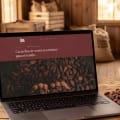

2026 harvest
30 days · Ecuador 62% · United States 24% · Colombia 14% · Mobile 81% · Desktop 19%
What you can put in a Tinki
Header
Titles to split the page into sections.
Buttons
Links to the store, the catalog, WhatsApp or any URL.
Social networks
Shortcuts to the client’s profiles, including Threads.
Image
Photos of the product, the promo or the brand.
Video
A video of its own inside the page.
Background and color
Background image and brand color. Reorder blocks by dragging them.
What every Tinki tells you
Visits and clicks
How many people open the page and how many click.
CTR
What share of visits ends in a click.
Countries and devices
Where visitors come from and whether they use a phone or a computer.
Questions about Tinki
What is Tinki?
The link in bio for every client: a public mini page with their links, images and video that goes in the bio of their social profiles.
How many Tinki pages can I create?
Freelancer: 1 per client. Agency: 5 per client. Pro: unlimited.
Do the statistics appear in the report?
Yes. The client’s PDF report includes their Tinki visits, clicks, countries and devices.